
Website maintenance is sometimes unavoidable, but long downtimes can hurt your SEO. If search engines try to access your site and find it offline, they may stop indexing your pages or downgrade your rankings.
Here’s what you need to know — and how to handle downtime without damaging your online visibility.
Why Downtime Impacts SEO
Google doesn’t know that your developers are deploying a new release or moving to another server. If it repeatedly requests pages and receives errors instead, it simply sees content that isn’t available. Depending on how long that continues and how the server responds, crawling may slow down, and some pages can temporarily lose visibility.
What can go wrong:
· Lower crawl rate: search engines may temporarily stop crawling your pages.
· Rankings fluctuations: due to reduced trust and visibility
· User frustration, increased bounce rates, and lower engagement
· Lost revenue or leads, especially for e-commerce websites and businesses that rely on online sales
If Downtime Is Unavoidable, Do This
Sometimes maintenance or server issues can’t be delayed. If it’s your case, follow these steps to minimize the negative impact on SEO.
1. Set a 503 HTTP Status Code
Use the HTTP status code 503 Service Unavailable to let search engines know the downtime is temporary.
One mistake I still come across is websites returning a standard 200 response with a maintenance message or a generic 404 page instead. That makes it much harder for search engines to understand that the interruption is only temporary.
2. Add a “Retry-After” Header
Include a Retry-After header to tell bots when to return. This can be a specific date or a number of seconds (w3.org).
Examples:
Retry-After: Sun, 6 Jul 2025 23:59:59 GMT
Retry-After: 259200 // 3 days in seconds
3. Create a Custom 503 Page
Show a simple branded message instead of a blank error page, similar to a custom 404 page. Include your logo, downtime info, and a note that the site will be back soon.
It also gives visitors confidence that the website hasn’t disappeared.
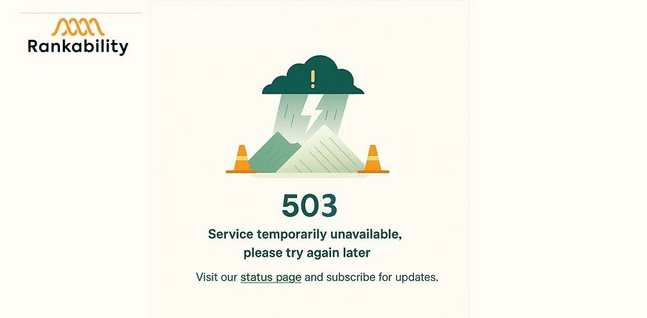
Custom 503 Page
Alternative Solution — Prevent Full Downtime
If you can work around it, partial solutions are often better than taking the whole site offline.
Add a Header Banner
Let visitors know the site is under maintenance using a non-intrusive banner at the top.
“We’re making updates! Some features may be unavailable between July 1–3.”
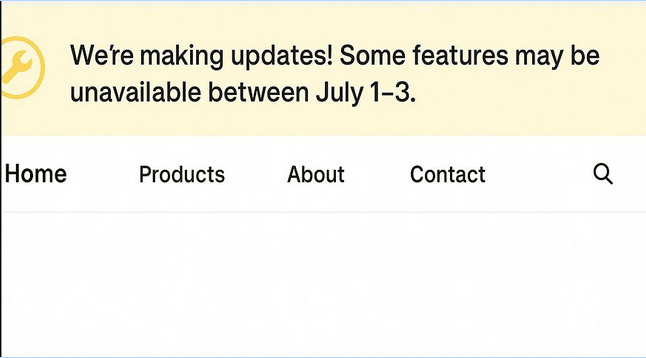
Header Banner
Use a Pop-up Notification
A pop-up message can notify users without blocking the whole site. It’s helpful for quick maintenance windows or feature rollouts.
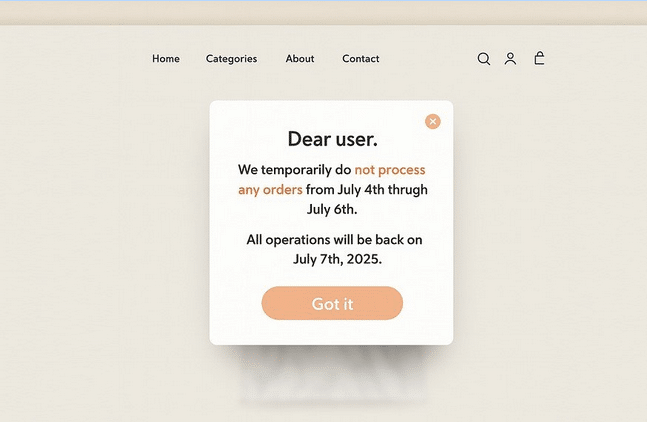
Pop-up Notification
Disable Checkout, Not the Whole Site
E-commerce store? Disable checkout only. Let visitors browse products and return to purchase later.
To Sum up
Downtime doesn’t have to mean disaster. A little planning and the right status codes go a long way in protecting your SEO.
· Use a 503 response and Retry-After headers
· Set up a temporary but informative page
· Explore non-disruptive alternatives when possible
When you protect both users and search engines from confusion, your rankings will thank you later.
About the author
Anatolii Oslovskyi is a Senior SEO Engineer at Rankability, a UAE-based SEO and digital marketing agency. He specializes in technical SEO, website migrations, and eCommerce SEO, helping brands improve their search visibility. Follow him on X (formerly Twitter): https://x.com/seomonkua
About the Author



Recent Comments